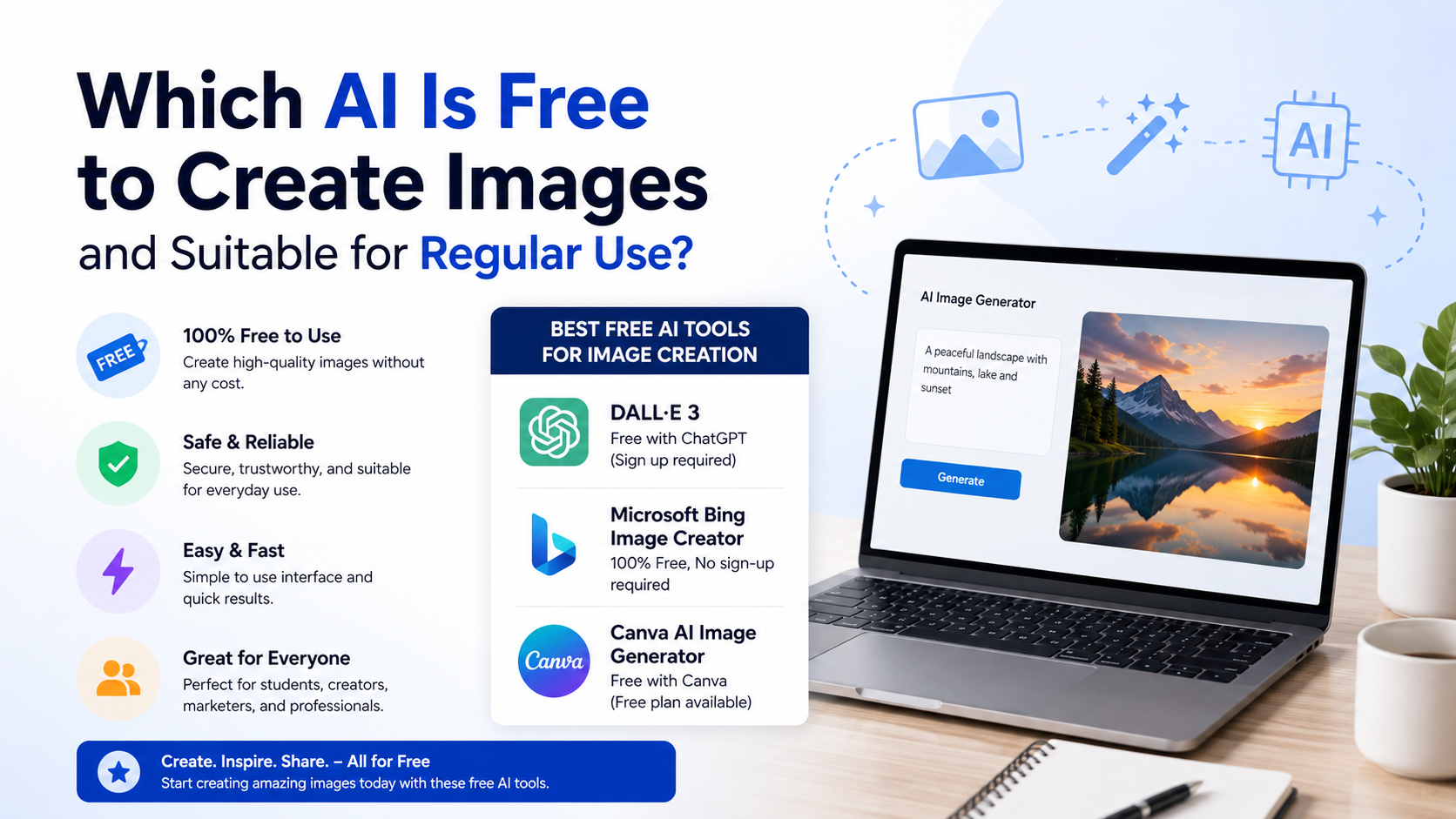
If you are asking which AI is free to create images and can realistically be used again and again, Microsoft Bing Image Creator is the strongest all-round answer for most people in India. It allows free image creation at standard speed after its daily fast-generation allowance is used, making it practical for routine social posts, blog visuals, presentation concepts and creative experiments.
However, the best free AI image tool depends on what you need to create. Canva is better when you want ready-to-publish designs, Adobe Firefly is useful for creative editing workflows, and Ideogram can be a worthwhile free option for limited weekly experiments. "Free" does not always mean unlimited, private or automatically safe for every commercial use, so understanding the limits matters.
Key Takeaways
- Microsoft Bing Image Creator is the most practical option for frequent free image generation because standard-speed creation remains available after fast generations are used.
- Canva Free is ideal when you need to turn generated visuals into Instagram posts, flyers, presentations or other finished designs.
- Adobe Firefly offers limited free daily generations, but free users should read its terms carefully before entering sensitive prompts.
- Ideogram's free plan provides 10 slow credits per week and makes generations public by default.
- Always inspect AI images for incorrect text, distorted hands, misleading details and potential copyright or privacy issues before publishing.
What Does "Free AI Image Generator" Actually Mean?
A free AI image generator lets you describe an image in text—called a prompt—and creates visual options from that description. For example:
"A realistic overhead photograph of masala chai, samosas and a notebook on a wooden café table, warm morning light, no text."
The important distinction is that most free tools use one or more of these models:
- A daily image-generation limit
- Credits that reset daily, weekly or monthly
- Faster and slower queues
- Restrictions on private generations, editing or resolution
- Separate terms for commercial use
Therefore, a tool can be free enough for regular personal or small-business work without being unlimited. Before building a workflow around any platform, check its account page and terms because allowances and features can change.
Best Free AI Image Tools for Regular Use
| Tool | Free-use position | Best for | Important limitation |
|---|---|---|---|
| Microsoft Bing Image Creator | 15 fast image creations daily, then free standard-speed creation; up to 200 prompts per 24 hours | Frequent image generation, concepts and blog/social visuals | Standard generation can take longer after fast creations are used |
| Canva Free | Includes access to a range of AI tools; Canva's Text to Image guide states up to 100 images daily | Creating images and turning them into finished designs | Some AI features, assets and higher usage are paid |
| Adobe Firefly Free | Limited daily generations across creative AI features | Exploring styles and Adobe-oriented workflows | Free access is limited; prompt/output terms need attention |
| Ideogram Free | 10 slow credits per week | Occasional experiments and prompt-based image creation | Generations are public by default; free usage is limited |
The allowances above come from the providers' own pages: Microsoft Bing Image Creator, Canva Text to Image, Adobe Firefly plans and Ideogram pricing.
The Best Overall Choice: Microsoft Bing Image Creator
For a person who needs images regularly without paying, Bing Image Creator is the most practical starting point.
Microsoft states that users receive 15 free fast image creations per day. After those are used, you can continue generating at standard speed for free. The company also states that users can enter up to 200 prompts in a 24-hour period, after which the allowance refreshes.
This matters because it separates "free" from "a short free trial." You can keep creating after the faster allowance is finished; you simply need more patience.
Who should choose it?
Bing Image Creator is a strong fit for:
- Bloggers needing featured-image concepts
- Students making presentation visuals
- Social-media creators testing post ideas
- Small businesses creating mood boards or product-background concepts
- Freelancers who need several image variations before selecting one
How to use it well
- Open Bing Image Creator and sign in with a Microsoft account.
- Describe the subject, setting, style, composition and lighting.
- Generate several options instead of expecting a perfect first result.
- Download the strongest image and refine it in Canva, PowerPoint or another editor.
- If the image will represent a real product, location or person, verify every visible detail manually.
A useful prompt structure is:
Subject + action + setting + composition + visual style + lighting + exclusions
For example:
"A clean flat-lay photograph of eco-friendly stationery on a desk, top-down composition, soft daylight, minimal Indian small-business aesthetic, space on the right for headline text, no logos, no watermark."
Canva Free: Best for Images That Must Become Designs
Canva is not only an image generator; it is a browser-based design workspace. That makes it especially useful for users who want to create an image and immediately add a logo, headline, price, QR code or call to action.
Canva confirms that its Free plan includes access to a range of AI-powered tools, while paid plans provide higher usage and more advanced features. Its guide for Text to Image says users can generate up to 100 images daily at no charge. See Canva AI and its Text to Image guide.
When Canva is the better answer
Choose Canva Free if your priority is:
- Instagram posts, reels covers and YouTube thumbnails
- Restaurant menus, tuition-class flyers or event posters
- LinkedIn graphics and pitch-deck slides
- Quick resizing for different platforms
- Adding text after generating an image
For Indian local businesses, this is often more useful than a standalone generator. A bakery, salon, coaching centre or home-based seller usually needs an attractive post with readable information—not just a raw AI image.
A practical caution
Do not assume every element shown in Canva is free. Canva distinguishes between Free and Pro content; Free users may see watermarks on Pro assets. Review the label of any template, photo, graphic or audio item before exporting a commercial design. Canva explains this in its licensing overview.
Adobe Firefly: Useful for Creative Exploration and Editing
Adobe Firefly provides a free tier with limited daily generations. Its current plan information says that free access includes limited daily generations across image, video and audio features, with limits refreshing daily. Adobe does not present the free tier as unlimited.
Firefly can suit users who want to experiment with image styles or work inside Adobe's broader creative ecosystem. It is also useful when your process involves modifying an existing visual rather than generating every element from scratch.
When to consider Firefly
Use Firefly when you want to:
- Explore visual directions for a campaign
- Generate image concepts alongside Adobe tools
- Create or extend visual backgrounds
- Test several art styles before commissioning a final design
Privacy warning for free users
Do not use free AI tools for confidential client material, unreleased product information, private documents or sensitive personal images without reading the applicable terms. Adobe's Generative AI Additional Terms state that free users who submit text-based inputs grant Adobe a broad licence to use the input and corresponding output. Review the current Adobe Generative AI Additional Terms before using Firefly for sensitive work.
Ideogram: A Free Option for Limited, Public Experiments
Ideogram offers a free plan with 10 slow credits per week. The provider says wait times in the slow queue vary according to capacity and usage. Its free plan is therefore better for occasional generation rather than high-volume daily production.
A crucial consideration is privacy: Ideogram states that images are public by default, while private generation is offered on paid plans.
When Ideogram makes sense
Ideogram can be useful if you:
- Want another generator to compare with your main tool
- Need a small number of weekly creative tests
- Are comfortable with public generations
- Can wait for slower processing
Do not use it for confidential brand concepts, client briefs, personal photographs or unpublished campaign content on the free plan.
How to Choose the Right Tool for Your Use Case
Use this simple decision guide:
- Need lots of free images regularly: Start with Microsoft Bing Image Creator.
- Need finished posts, flyers or presentation slides: Use Canva Free.
- Need Adobe-style creative exploration or editing: Try Adobe Firefly Free.
- Need a secondary tool for occasional testing: Consider Ideogram Free.
- Need confidential or private image creation: Do not assume a free plan is appropriate; read the privacy and visibility terms first.
For many users, the most efficient no-cost workflow is:
- Generate concepts in Bing Image Creator.
- Select one image with a clean composition.
- Import it into Canva.
- Add accurate text, brand colours and contact details manually.
- Export the correct size for Instagram, WhatsApp, LinkedIn or print.
Prompting Tips That Improve Free AI Images
Free tools become far more useful when your prompts are specific. Avoid vague instructions such as "make a good business image." Instead, state what must be visible.
Include visual details
Mention:
- Subject and action
- Location or background
- Camera angle or composition
- Lighting and mood
- Colour palette
- Intended aspect ratio or empty space for text
- Things to avoid
For example:
"Professional editorial photograph of an Indian entrepreneur working on a laptop in a bright co-working space in Bengaluru, natural window light, horizontal composition, clean neutral colours, leave empty space on the left for a headline, no visible brand logos, no text."
Generate first, add important text later
AI-generated lettering can contain misspellings, incomplete words or invented characters. For a sale price, phone number, website, legal notice or offer date, add text manually in Canva or another editor.
Use references carefully
Do not upload someone else's private photo, logo, artwork or product image unless you have permission. AI generation does not remove your responsibility to respect privacy, intellectual-property rights and platform rules.
Commercial Use, Copyright and Responsible Publishing
An AI image can still create legal or reputational problems if it contains recognisable trademarks, copied-looking artwork, misleading medical claims or an identifiable person used without consent.
Before using an image for a business in India, take these steps:
- Remove or replace unexpected logos and brand names.
- Do not present an AI-generated person as a real customer, doctor, employee or public figure.
- Verify labels, packaging, food details and product features against reality.
- Keep records of your prompt, original output and later edits.
- Read the current terms of the specific platform and plan you used.
- Use original product photographs when accuracy is essential, especially for e-commerce listings.
AI can accelerate visual production, but it should not be used to create deceptive advertising or false evidence.
Frequently Asked Questions
Is there a completely unlimited free AI image generator?
Not among the mainstream hosted tools covered here. Free access commonly includes daily, weekly or feature-based limits. Bing Image Creator is particularly useful because Microsoft says free standard-speed creation remains available after the daily fast-generation allowance, subject to its prompt limit.
Which free AI image generator is best for Instagram posts?
Canva Free is usually the best choice when the final output needs captions, brand colours, a price or a call to action. Generate the visual, then complete the post in the same design editor.
Can I use free AI-generated images for my business?
Possibly, but do not treat "free" as automatic legal clearance. Check the platform's current terms, avoid third-party logos and copyrighted-looking elements, obtain permission for uploaded references, and verify that the final image does not misrepresent your product or service.
Are free AI-generated images private?
Not necessarily. Ideogram says generations are public by default on its free plan. Adobe's terms also require careful reading for free users. Never enter confidential data or sensitive customer information unless the platform's terms and your organisation's policy clearly allow it.
Why do AI images often have incorrect words or strange details?
Image models predict visual patterns; they do not reliably typeset critical information or verify real-world facts. Generate the image without essential copy, then add names, prices, dates and contact details manually.
Conclusion
For most people seeking which AI is free to create images for regular use, Microsoft Bing Image Creator is the best starting point because it combines a daily fast allowance with free standard-speed creation afterward. Use Canva Free when you need polished marketing or social designs, Firefly for Adobe-focused exploration, and Ideogram for limited public experiments.
Start with one repeatable workflow, write detailed prompts, add critical text manually and review every image before publishing. That approach gives you useful, professional visuals without treating a free AI tool as a substitute for accuracy, consent or careful design.