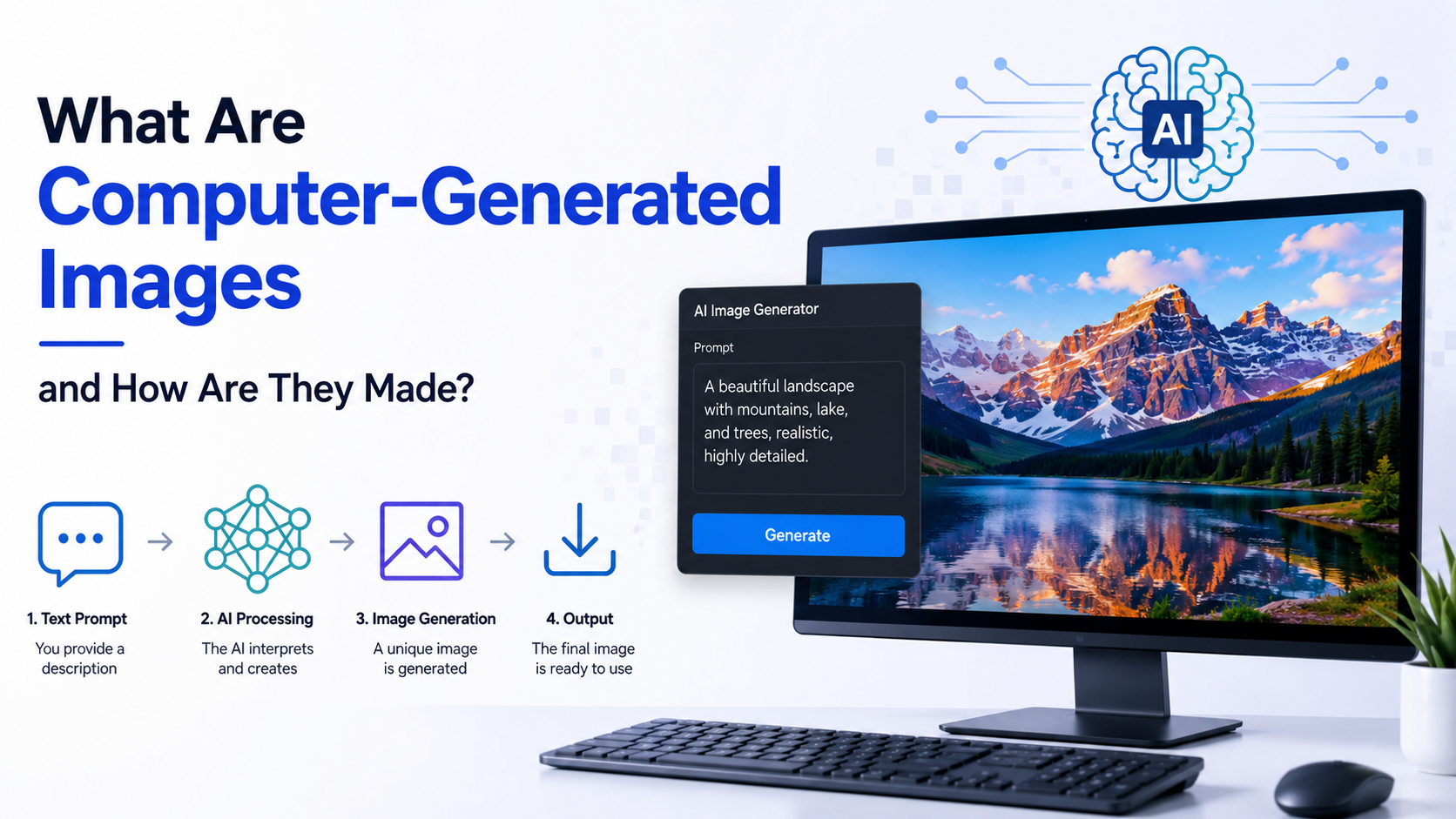
Computer generated images (CGI) are visuals created or modified using computer software rather than captured entirely by a camera. They include a 3D film character, a product visualisation for an Indian e-commerce site, a game environment, a medical illustration, and a digitally generated architectural walkthrough.
CGI can be photorealistic, stylised, scientific, or abstract. Some images are built from 3D models and rendered with simulated light; others are drawn with vectors, composited from photographs, or produced with procedural and generative techniques. This article explains the main types of CGI, the production workflow, rendering technology, software choices, and practical considerations.
Key Takeaways
- Computer generated images are digital visuals produced or enhanced with software.
- A typical 3D workflow includes concept planning, modelling, materials, lighting, camera setup, rendering, and compositing.
- Rasterisation is fast and common in real-time applications, while ray tracing simulates light more accurately but requires more computation.
- CGI is used in films, games, advertising, architecture, education, engineering, medicine, and e-commerce.
- Free tools such as Blender provide modelling, animation, rendering, compositing, and scripting capabilities.
- Realistic CGI depends on accurate geometry, physically plausible materials, lighting, camera choices, and careful post-production.
What Are Computer-Generated Images?
Computer generated images are pictures created from digital instructions. Those instructions may describe pixels, curves, shapes, three-dimensional geometry, colours, textures, lights, cameras, or mathematical rules.
In 3D computer graphics, a renderer converts a scene description into a 2D image. Autodesk describes 3D rendering as generating an image from a model with computer software; the process can add shading, texture maps, shadows, reflections, and motion blur. Autodesk's rendering overview explains that rendering is used in architecture, simulation, games, films, television effects, and design visualisation.
CGI is broader than "3D graphics." It can include:
- 2D computer graphics: Digital paintings, diagrams, motion graphics, typography, and vector illustrations.
- 3D CGI: Models, environments, characters, simulations, and rendered scenes.
- Compositing: Combining computer-rendered elements with live-action footage or photographs.
- Procedural imagery: Patterns, landscapes, particles, and effects generated from rules or algorithms.
- Generative image systems: Software that creates images from learned models or user prompts. These are a newer branch of computer-generated imagery, but they do not replace the conventional 3D production pipeline in every use case.
A photograph records light from a physical scene. CGI calculates an image from a digital scene or set of image instructions. Productions often combine both methods.
Main Types of Computer-Generated Images
2D CGI
2D images are created on a flat coordinate plane. Artists work with pixels or scalable vector paths.
Common examples include:
- Infographics and educational diagrams
- Mobile-app interfaces
- Digital paintings
- Film titles and motion graphics
- Technical illustrations
- Website banners and social-media artwork
Raster images store colour information as pixels. Vector images use mathematical paths, so they can be resized without the same loss of sharpness. A designer may create a logo as vector artwork and export it as a raster image for a website.
3D CGI
Three-dimensional CGI represents objects with depth, position, and volume. A 3D scene normally contains geometry, materials, lights, cameras, and animation data.
Examples include:
- Animated characters and creatures
- Product prototypes
- Architectural interiors
- Vehicle visualisations
- Game worlds
- Industrial simulations
- Visual effects such as smoke, fire, water, and destruction
Non-photorealistic CGI
Not every computer generated image aims to look like a photograph. Non-photorealistic rendering can imitate ink, watercolour, cel animation, technical line drawings, or flat graphic design. Blender's FreeStyle system, for example, uses mesh and depth information to draw configurable lines around selected edges. Blender's rendering features document this type of workflow.
How Are Computer-Generated Images Made?
A production pipeline varies by project, but the following stages are common for a 3D still image or animation.
1. Plan the Concept and References
The artist first defines the subject, audience, visual style, aspect ratio, and delivery format. A product advertisement may require accurate dimensions and branding, while a fantasy scene may prioritise artistic design.
Reference material can include photographs, sketches, measurements, colour swatches, engineering drawings, and location footage. For Indian projects, references may also need to reflect local architecture, clothing, signage, scripts, and lighting conditions accurately.
2. Build the Geometry
Modelling converts the concept into digital shapes. Artists may begin with primitive objects such as cubes, spheres, and cylinders, then refine them using polygon editing, sculpting, curves, or procedural tools.
A model can be:
- Polygonal: Built from vertices, edges, and faces.
- Sculpted: Shaped like digital clay, useful for organic forms.
- Parametric or CAD-based: Controlled by dimensions and engineering constraints.
- Procedural: Generated through rules, nodes, or code.
Good topology—the arrangement of a model's polygons—helps with deformation, smooth shading, and efficient rendering. A character intended for animation needs edge loops around joints; a manufactured part may need precise measurements and clean surfaces.
3. Add Materials and Textures
Materials tell the renderer how a surface should respond to light. Typical properties include base colour, roughness, metallic behaviour, transparency, subsurface scattering, and normal detail.
Textures can be photographs, painted images, scanned data, or procedural patterns. A realistic steel object needs more than a grey colour: its roughness, reflections, edge wear, and surface variation also affect the result.
Physically based rendering (PBR) uses material parameters designed to behave consistently under different lighting conditions. Blender's Cycles engine supports node-based shaders, PBR workflows, image textures, bump mapping, and displacement. Blender's official documentation lists these capabilities.
4. Set Up Lighting
Lighting establishes visibility, mood, depth, and realism. Artists can use point, spot, area, sun, environment, or mesh lights.
A simple product scene might use:
- A large key light to define the form
- A softer fill light to reduce harsh shadows
- A rim or back light to separate the object from the background
- An environment map to provide realistic reflections
Global illumination and indirect lighting simulate light bouncing between surfaces. These calculations improve realism but can increase render time.
5. Position the Camera
The camera determines composition and perspective. Focal length affects how wide or compressed the scene appears, while aperture and focus settings control depth of field.
For technical or architectural visuals, an orthographic camera can show measurements without perspective distortion. For a cinematic shot, a perspective camera and carefully chosen lens create a more natural sense of depth.
6. Animate When Required
Animation changes an object's properties over time. Artists use keyframes to define important poses or positions, and the software interpolates the movement between them.
Characters often require a rig: a digital skeleton with controls that make posing easier. Blender provides armatures, inverse and forward kinematics, constraints, drivers, and automatic skinning tools. Blender's animation feature page describes these systems.
Other animation data may include camera movement, facial expressions, cloth, hair, particles, rigid-body physics, smoke, and fluid simulation.
7. Render the Scene
Rendering is the calculation stage that converts the scene into pixels. The renderer evaluates geometry visibility, materials, lights, shadows, reflections, refractions, and atmospheric effects.
Autodesk identifies several rendering approaches:
| Method | Typical strength | Common use |
|---|---|---|
| Software rendering | High quality and flexibility using the CPU | Film frames, complex visualisations |
| Hardware rendering | Faster processing through the graphics card | Interactive previews and real-time graphics |
| Cloud rendering | Scalable remote computing capacity | Large animations and high-resolution scenes |
| Vector rendering | Stylised lines and scalable artwork | Technical and illustrative graphics |
Autodesk's rendering guidance outlines these categories and their typical trade-offs.
8. Composite and Export
Most professional images are refined after the initial render. Compositing combines render passes such as colour, depth, shadows, reflections, and ambient occlusion. Artists then adjust exposure, colour, contrast, atmospheric effects, and lens effects.
For animation, the final frames are assembled into a video using the required frame rate, resolution, colour space, and compression format. Always confirm the delivery specifications before rendering thousands of frames.
Rasterisation, Ray Tracing, and Path Tracing
Rasterisation
Rasterisation converts 3D triangles into pixels on a 2D display. Each vertex can carry position, colour, texture coordinates, and surface-normal information. Because it is efficient, rasterisation is widely used in games, virtual reality, and interactive 3D applications.
Ray Tracing
Ray tracing follows rays from the camera through image pixels into the scene and calculates intersections with objects. It can simulate reflections, refractions, shadows, and indirect lighting. NVIDIA's ray-tracing explanation notes that the camera-to-scene approach is more efficient than tracing every ray emitted by every light source.
Ray tracing is computationally intensive. Modern GPUs and denoising techniques can accelerate it, but complex scenes may still require substantial processing.
Path Tracing
Path tracing is a form of ray-based rendering that samples many possible light paths to estimate realistic illumination. It can produce highly convincing results but may show noise until enough samples are calculated. Artists balance quality and speed through sampling, denoising, resolution, and light settings.
Many current applications use a hybrid approach: rasterisation handles most visible geometry while ray tracing adds selected reflections, shadows, or global-illumination effects.
Software Used to Create CGI
The right tool depends on the project, budget, hardware, and required output.
- Blender: Free and open-source software for modelling, sculpting, animation, rigging, simulation, rendering, compositing, and Python scripting. Its current documentation is maintained online and updated by the Blender community. Blender Support provides access to manuals and developer references.
- Autodesk Maya: Commonly used for character animation, visual effects, and film production.
- Autodesk 3ds Max: Frequently used for architectural visualisation, product design, and game assets.
- Cinema 4D: Popular for motion graphics and broadcast design.
- Unreal Engine and Unity: Real-time engines for games, virtual production, interactive training, and visualisation.
- CAD and BIM applications: Used for engineering and architecture, where dimensional accuracy is essential.
- Compositing tools: Used to combine rendered passes, live footage, colour correction, and visual effects.
Students in India can begin with Blender and free educational resources, then specialise in modelling, texturing, lighting, animation, compositing, or technical art.
Real-World Uses in India
Computer generated images support many Indian industries:
- Film and television: Digital environments, crowd extension, creatures, set replacement, and invisible effects.
- Advertising and e-commerce: Product images, pack shots, seasonal campaigns, and interactive configurators.
- Architecture and real estate: Walkthroughs, apartment previews, urban-planning studies, and interior design proposals.
- Automotive and manufacturing: Prototypes, assembly visualisations, training materials, and engineering reviews.
- Education and healthcare: Anatomical diagrams, laboratory simulations, and instructional models.
- Games and extended reality: Mobile games, virtual reality experiences, augmented-reality filters, and location-based entertainment.
- Cultural preservation: Digital reconstruction of monuments, artefacts, and historical environments.
The commercial value of CGI comes from controlling a scene repeatedly. A single accurate 3D product model can generate multiple camera angles, colours, languages, and campaign formats without photographing every variation.
Practical Beginner Workflow in Blender
- Install Blender from its official website and create a new 3D scene.
- Model a simple object using primitives and basic editing tools.
- Apply a material and adjust colour, roughness, and metallic values.
- Add an area light and position a camera.
- Render a low-resolution preview with EEVEE for quick feedback.
- Correct proportions, composition, shadows, and material problems.
- Render the final image with Cycles when physically based lighting is important.
- Save the project, textures, and output files in an organised folder structure.
Work at preview resolution first. Increase samples and output resolution only after the scene looks correct.
Limitations and Quality Checks
CGI is not automatically accurate or realistic. Common problems include:
- Incorrect scale or proportions
- Repeating textures and visibly procedural patterns
- Overly sharp edges on manufactured objects
- Shadows that do not match the light direction
- Reflections showing an implausible environment
- Excessive noise, flicker, or motion blur in animation
- Missing licences for photographs, models, fonts, or textures
- Unclear disclosure when a generated image could mislead viewers
For commercial, medical, engineering, or public-information work, verify dimensions, labels, logos, safety details, and cultural representation with a subject-matter expert. Keep original project files and document which elements are simulated.
Frequently Asked Questions
Are computer generated images the same as AI-generated images?
No. AI-generated images are one category of computer-generated imagery. CGI traditionally refers to images built through graphics software, modelling, simulation, and rendering. AI may be used as a separate generation method or inside a conventional CGI workflow for tasks such as denoising, upscaling, or asset creation.
How long does it take to create a CGI image?
A simple graphic may take minutes, while a detailed product visual or cinematic frame can require days of modelling, look development, lighting, and revisions. Rendering time depends on resolution, scene complexity, sampling, hardware, and the chosen renderer.
Can CGI look exactly like a photograph?
Yes, but photorealism requires accurate geometry, materials, lighting, camera settings, and composition. Small errors—such as incorrect scale, uniform roughness, or unrealistic reflections—can make an image look artificial.
Is Blender suitable for professional work?
Blender supports modelling, sculpting, rigging, animation, simulation, rendering, compositing, and scripting. It is suitable for learning and for many professional workflows, although studios may combine it with other applications and specialised pipelines.
What computer is needed for CGI?
A modern multi-core processor, sufficient RAM, and a dedicated GPU help with 3D work. More complex scenes benefit from additional graphics memory and fast storage. Start with modest scenes and preview renders before investing in high-end hardware.
Conclusion
Computer generated images are digital visuals produced by describing shapes, surfaces, light, motion, and image-processing instructions to software. The core 3D process moves from planning and modelling through materials, lighting, camera setup, rendering, and compositing. Rasterisation prioritises speed, while ray tracing and path tracing can produce more physically convincing light at greater computational cost.
For beginners and independent creators in India, Blender offers a practical starting point. Build small scenes, study real-world references, render previews frequently, and maintain careful records of assets and licences. With a reliable workflow, CGI can support films, games, architecture, engineering, education, advertising, and many other fields.